Shared Workstations: The Published Desk, Chair and Space Criteria to Specify
Solomia Home carries executive desks and seating from furniture Italy makers in its Dubai showroom, listing Flexform, B&B Italia, Boffi and Porada among other houses.
A desk that several people use in turn has to fit more bodies than a personal one, so the specification matters more. Published guidance from OSHA, the UK Health and Safety Executive, Cornell and MIT gives numbers you can put straight into a purchase brief. For further reading on specific furniture categories, consult guides on tables and desks for offices, conference tables for offices and meeting room chairs.
- Specify a chair with a range of seat heights and adjustable arms, because one chair will serve many users.
- Give every desk a surface deep enough to hold the monitor at least 20 inches from the eyes.
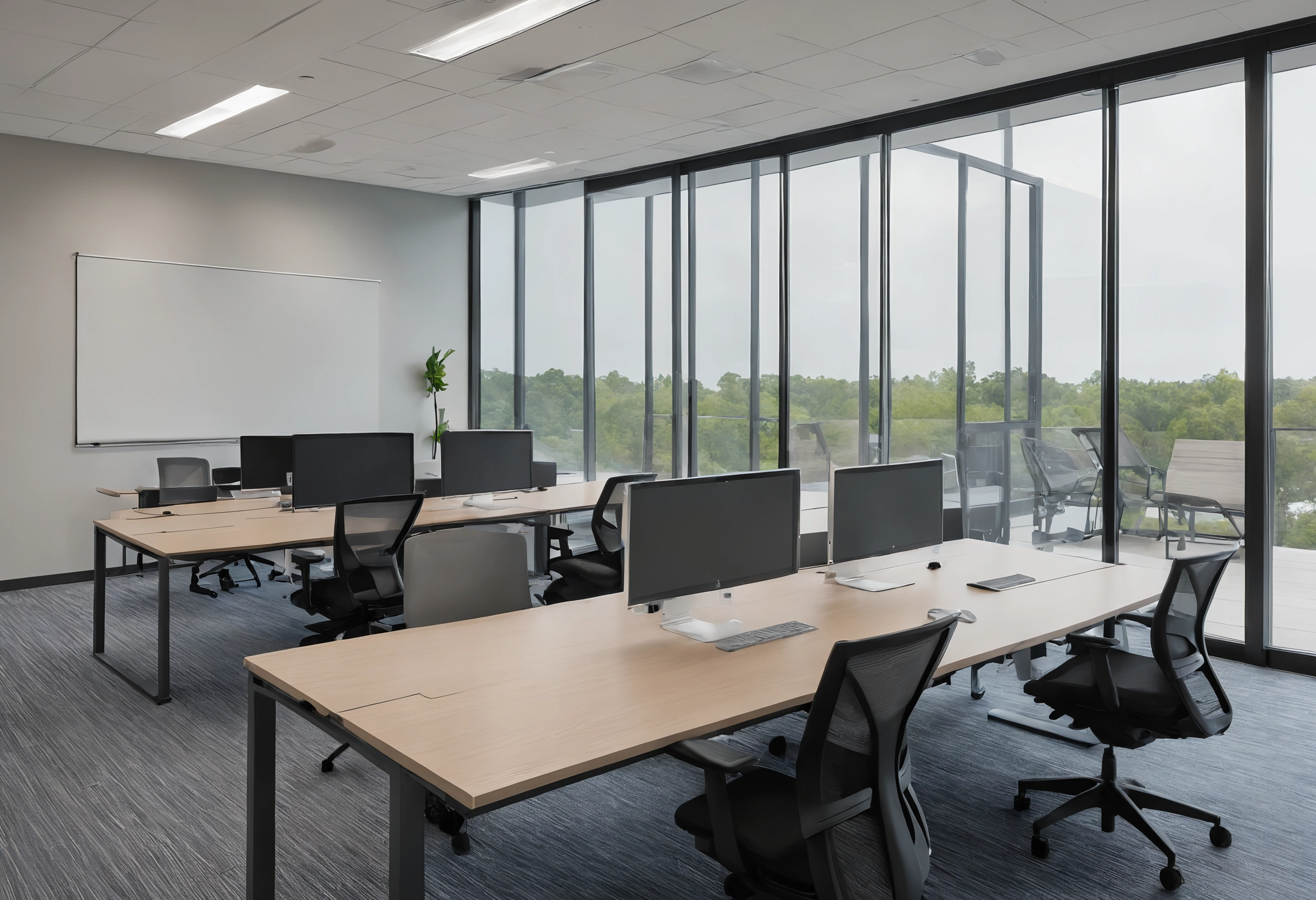
- Leave open space under the desk for knees, thighs and feet, and keep storage out of it.
- Choose a recline of 100 to 110 degrees as the working backrest angle and make sure the chair can lock there.
How should a shared desk and chair be set up for daily use?
The UK Health and Safety Executive posture checklist specifies a gap of 2 to 3 centimeters (about 1 inch) between the front of the seat and the back of the knee, as detailed in the HSE display screen equipment guidance. The keyboard sits just below elbow height, and the top of the screen lines up with the eyes at roughly an arm's length.
MIT Environment, Health and Safety puts that arm's length at 18 to 30 inches and asks for enough under-desk clearance for knees, thighs and feet, according to the MIT EHS ergonomics page. If a fixed desk is too high, MIT advises raising the chair. Cornell University research finds the best seated posture is reclined 100 to 110 degrees, not the upright 90 degrees often drawn, as the Cornell University Ergonomics Web guide explains. Seating for managers is covered in the guide to executive chairs for offices.
What does a chair for many users need to adjust?
The US Occupational Safety and Health Administration lists the parts of a workstation chair to check: backrest, seat, armrests and base. Its chair guidance asks for lumbar support that adjusts in height, a recline of at least 15 degrees that locks or holds under tension, soft armrests, a seat that lets the feet rest flat on the floor or a footrest, and a five-leg base on casters.
A shared chair must offer every one of those adjustments, since each new user starts by resetting it. Herman Miller publishes the dimensions of the Aeron chair in three sizes on its own Aeron product page, which shows how a single model is sized to cover short and tall users. The company also lists a 12-year, three-shift warranty for the chair, a figure to compare when a chair will be used across several shifts.
| Size | Seat height | Seat depth | Overall height |
|---|---|---|---|
| A | 14.4" to 19.3" | 16" | 34.2" to 38.5" |
| B | 14.8" to 22.8" | 17" | 36.8" to 41.1" |
| C | 15.8" to 22.8" | 18.5" | 40" to 45.4" |
Steelcase states on its Leap chair page that the standard Leap carries weight up to 400 pounds and the Leap Plus up to 500 pounds, with a 12-year warranty covering multi-shift, round-the-clock use. Weight rating is a second line to add to the brief for any chair on a desk that is never idle.
What should a shared work surface provide?
OSHA's desk guidance asks for a work surface deep enough to view the monitor from at least 20 inches, with the keyboard, phone and mouse inside the primary work zone. It advises against keeping a computer tower under the desk and suggests removing a center drawer where thigh clearance is short.
| Item | Criterion | Source |
|---|---|---|
| Monitor distance | 18 to 30 inches | MIT EHS |
| Monitor distance, minimum | at least 20 inches | OSHA |
| Seat to back of knee | 2 to 3 centimeters | HSE |
| Backrest angle | 100 to 110 degrees | Cornell |
| Chair recline range | at least 15 degrees from vertical | OSHA |
| Chair base | five legs with casters | OSHA |
| Keyboard height | just below elbow | HSE |
How much floor space should a desk or workstation get?
CCOHS, the Canadian occupational health and safety agency, lists minimum space ranges for office layouts in its working space fact sheet, quoting Panero and Zelnik, Human Dimension & Interior Space (1979), a reference the page itself calls old but still useful as an example.
| Application | Inches |
|---|---|
| Two people meet in an office with a table or desk between them, such as a supervisor and an employee | 60-72" x 90-126" |
| A worker has a primary desk and a secondary surface such as a credenza or filing cabinet | 60-72" x 60-84" |
| Executive office: 3-4 people can meet around a desk | 105-130" x 96-123" |
| A basic workstation, such as a call center | 42-52" x 60-72" |
Do sit-stand workstations pay off?
Cornell's guide states there is scant evidence that sit-stand furniture has cost-effective benefits. Some research suggests less back discomfort among users of adjustable workstations, but the studies did not use adequate comparison groups. Where budgets are tight, the recline figure applies to any chair, with or without a height-adjustable desk.
What must a shared work surface allow under display screen regulations?
The schedule to the Health and Safety (Display Screen Equipment) Regulations 1992 says a work desk or work surface shall have a sufficiently large, low-reflectance surface that allows a flexible arrangement of the screen, keyboard, documents and related equipment, as published in the UK legislation text.
A desk shared through hot desking is still a display screen workstation under this wording. The surface has to hold a monitor 20 inches or more away, together with the keyboard and documents. Facilities teams can also read about office furniture rental for temporary setups.